
Studio Productivity
Procreate Manual Tracing vs Neural Tattoo Stencil Makers: Studio Time and Line Weights
Updated 21 de novembro de 20265 min read
Save to PinterestEvery working tattooer knows the late-night bottleneck: three portraits and an architectural sleeve booked tomorrow, plus two hours of unpaid line-mapping on an iPad before sleep.
Used well, a dedicated thermal line engine works alongside Procreate rather than against it, handling proportion lock, value-boundary lines and true-centimetre multi-page tiling in seconds.
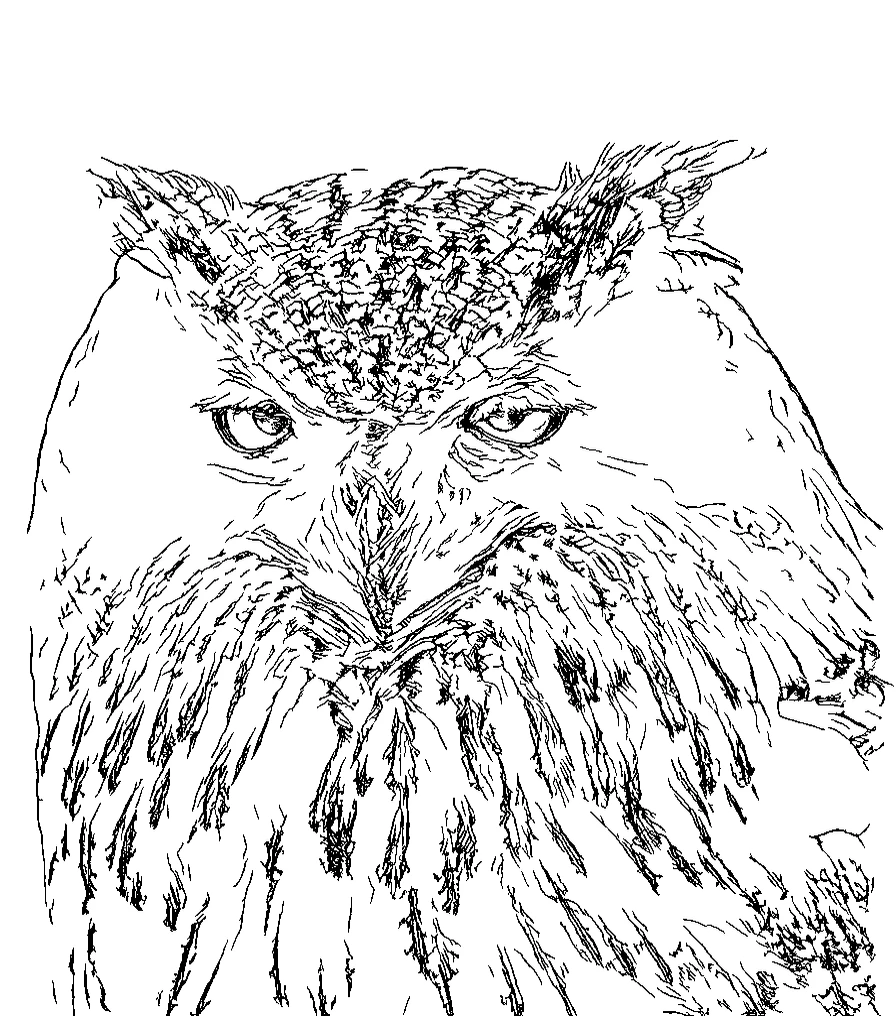
Studio Takeaway
Neural stencil extraction does not replace an artist's custom drawing voice, it eliminates 25 to 45 minutes of mechanical contour tracing on portraits, statues, pet memorials and walk-in references while delivering Fine, Standard and Bold weights in one pass.
- Hand-tracing portrait
- 25 to 50 minutes
- Neural 3-weight pass
- Under 3 seconds
- Sleeve PDF tiling
- Built-in 6 mm overlap
- Gloved reference view
- Fullscreen Chair Mode
When to draw from scratch vs when to run neural stencil extraction
Bespoke freehand flow pieces, custom Japanese background wind bars and hand-drawn script belong on your tablet canvas or skin markers. Mechanical proportion tracing of marble busts, wildlife photography, vintage cars, pet portraits and client flash references is pure drudgery where neural edge extraction shines.
| Studio Task | Manual Procreate Trace | TattooStencil Studio Engine |
|---|---|---|
| Realism / statue contour map | 30 to 45 min manual layers | 2 sec (Fine, Standard & Bold) |
| Testing thicker line weight | Redraw or re-stroke brush | Instant 1-tap weight toggle |
| 35 cm multi-sheet sleeve print | Manual canvas slicing & ruler math | Automatic A4/Letter tiled PDF + 50 mm bar |
| Removing background clutter | Layer mask erasing | Built-in browser Retouch brush + Undo |
| At-chair gloved reference | Photos app (screen dims/locks) | Chair Mode wake-lock + stencil overlay |
The hybrid Procreate + Cloud Studio Vault workflow
Many resident artists run the client's reference photo through TattooStencil first, erase background pedestals with the Retouch brush, and export the Fine PNG into Procreate if they want to add custom ornamental framing.
With Cloud Studio Vault, stencils prepared on a studio desktop sync straight to your iPad at the chair so you can open Chair Mode with wake-lock active and blend between photo values and stencil lines with one gloved thumb.
Common questions
Does changing from Fine to Bold cost an extra credit?
Never. One conversion returns Fine, Standard and Bold together from a single credit, plus unlimited Retouch edits and unlimited PNG and true-size PDF exports.
Can guest or part-time artists buy stencils without a monthly subscription?
Yes. Everyone gets 1 full-quality unwatermarked stencil per day free, and the 50-stencil Pay-As-You-Go Studio Pack is a one-time purchase whose credits never expire.
Studio Productivity
Test Fine, Standard & Bold output on your toughest reference photo
Run your first full-quality stencil free with no login, test Retouch eraser and Chair Mode, or grab a no-subscription Studio Pack.
More from the Tattoo Blog
All articlesArtist Workflow
How to Turn an AI Tattoo Concept into a Print-Ready Thermal Stencil
Learn how clients generate tattoo concepts that artists actually want to tattoo, and how studios convert AI references into crisp 1-bit thermal stencils.
Tattoo Longevity
Fine-Line vs Traditional Bold Tattoos After 10 Years: Line Spread, Spacing and Care
Compare how single-needle fine-line tattoos and bold traditional outlines age over 5 to 10 years, including macrophage spread, spacing rules and SPF care.
Placement & Prep
Tattoo Placement, Pain Scale and 10-Year Longevity Across 12 Body Zones
Compare 12 popular tattoo placements by nerve sensitivity, skin stretch during stencil transfer, UV fade risk and ideal centimetre sizing.